Fast, browser-based Morse tool
Simple Morse Code Tool
Morse-Code-Tool.com helps you translate text to Morse code and decode Morse back to plain text instantly. Simple easy and free! Use audio playback, flashlight-style signaling, share tools, printable JPG cards, and a built-in reference chart in one clean browser-based Morse code tool.
Popular tools
- Two-way live translation
- Audio playback with speed + pitch controls
- Flashing light playback
- Shareable translation link
- Copy, random samples, and light playback
- Clean mobile-friendly layout
- Download printable Morse code cards
Text
Enter plain text
0 chars
Mode: Text → Morse
Morse Code
Play, share, or decode
0 signals
Dots: 0 · Dashes: 0
Ready.
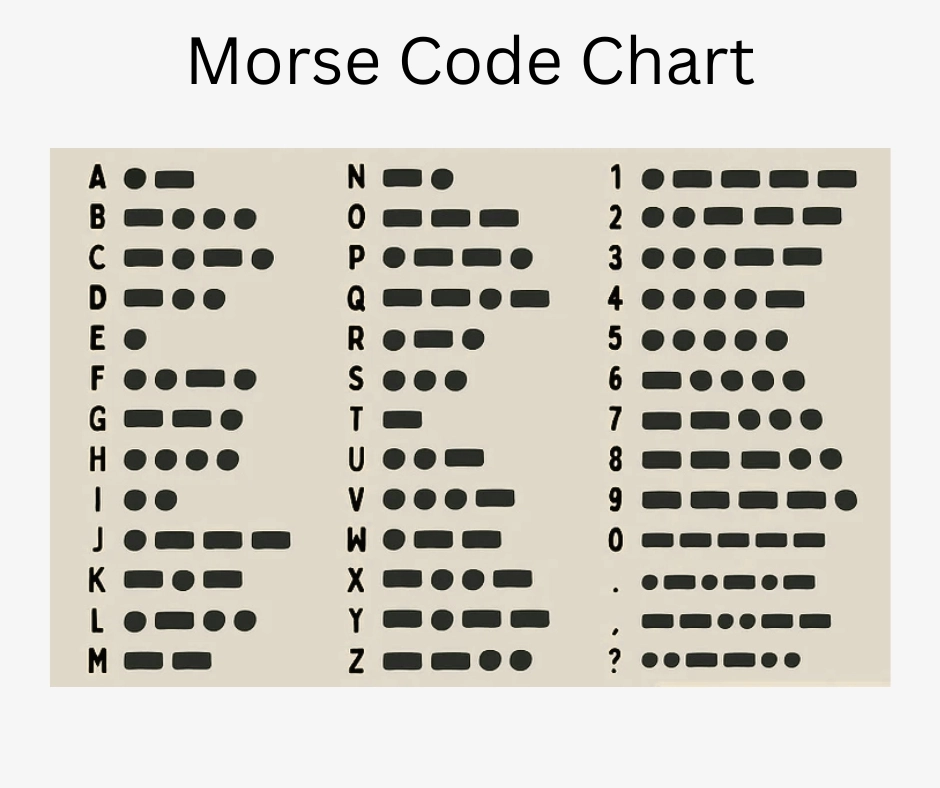
Learn the Morse Code Alphabet, Numbers, and Symbols
A complete quick-reference chart built into the page so the site feels useful even when visitors are not actively translating.
Numbers (0–9)
Common Symbols
How It Works
1. Type your message
Enter text in the left box and it translates instantly into Morse code. Switch directions to decode Morse back to text.
2. Hear the rhythm
Use play, repeat, and speed controls to practice timing. Dots are short beeps and dashes are longer beeps.
3. Share or save
Copy your result, share the current URL state, or download a generated audio file of the current Morse sequence.
What Is Morse Code?
Morse code is a method of encoding text characters as sequences of two signal durations — a short signal called a dot (·) and a long signal called a dash (—). Each letter, digit, and common punctuation mark maps to a unique combination of dots and dashes. The signals can be transmitted as sound tones, flashes of light, electrical pulses, or even tapped rhythms, making the system remarkably versatile across different technologies and environments.
A brief history
American inventor and artist Samuel Morse developed the code in the 1830s alongside electrical engineer Alfred Vail to support a new electric telegraph network. The first official public telegraph message using the code — "What hath God wrought" — was sent on May 24, 1844, between Washington D.C. and Baltimore. Within decades, the code became the global standard for long-distance communication, carried across undersea cables and eventually adopted worldwide as International Morse Code in 1865.
For over a century, Morse code was the primary means of long-distance communication for ships, military forces, news agencies, and railroads. Many lives were saved at sea by distress signals tapped in Morse, including the famous SOS pattern (··· — — — ···) which was adopted internationally in 1908. The last commercial Morse code message was sent in 1999, but the code itself has never disappeared.
How dots and dashes become letters
The International Morse Code assigns short patterns to the most commonly used letters in English. The letter E is a single dot (·) and T is a single dash (—) because those are the most frequent letters in English text, making transmission faster. Less common letters like Q (— — · —) or Y (— · — —) receive longer, more complex patterns. Numbers use a consistent five-element system: 1 is · — — — — and 5 is · · · · ·, with the pattern shifting one element at a time as the digit increases.
Timing is just as important as the pattern itself. A dot lasts one unit of time; a dash lasts three units. Gaps between symbols within the same letter are one unit; gaps between letters are three units; and gaps between words are seven units. This precise timing is what allows trained operators to decode transmissions by ear at speeds exceeding 30 words per minute.
Why Morse code is still used today
Morse code remains an active skill in several communities. Licensed amateur (HAM) radio operators around the world still use Morse code — called CW, or continuous wave — because it can punch through interference and reach much farther than voice transmissions at the same power level. Emergency preparedness communities value it because it works with minimal equipment: a flashlight, a mirror, two rocks, or a piece of wire can carry a lifesaving message. Military and maritime training programs continue to include Morse familiarity for exactly these reasons.
Beyond practical use, Morse code has become a popular hobby and learning challenge. Thousands of people practice it each year through structured programs like the 30-day beginner schedule, dedicated hardware like buzz trainers, and tools like this browser-based Morse code translator. It is also increasingly used in accessibility contexts, where a single-switch input can be decoded into full text for people with limited mobility.
Recent Blog Posts
Step-by-step guides and practical resources for learners at every level.
ELI5: How Do People Understand Incoming Morse Code?
A plain-English breakdown of trained ears, the Koch method, Farnsworth spacing, and how operators decode Morse code in real time without counting individual dots and dashes.
Read Article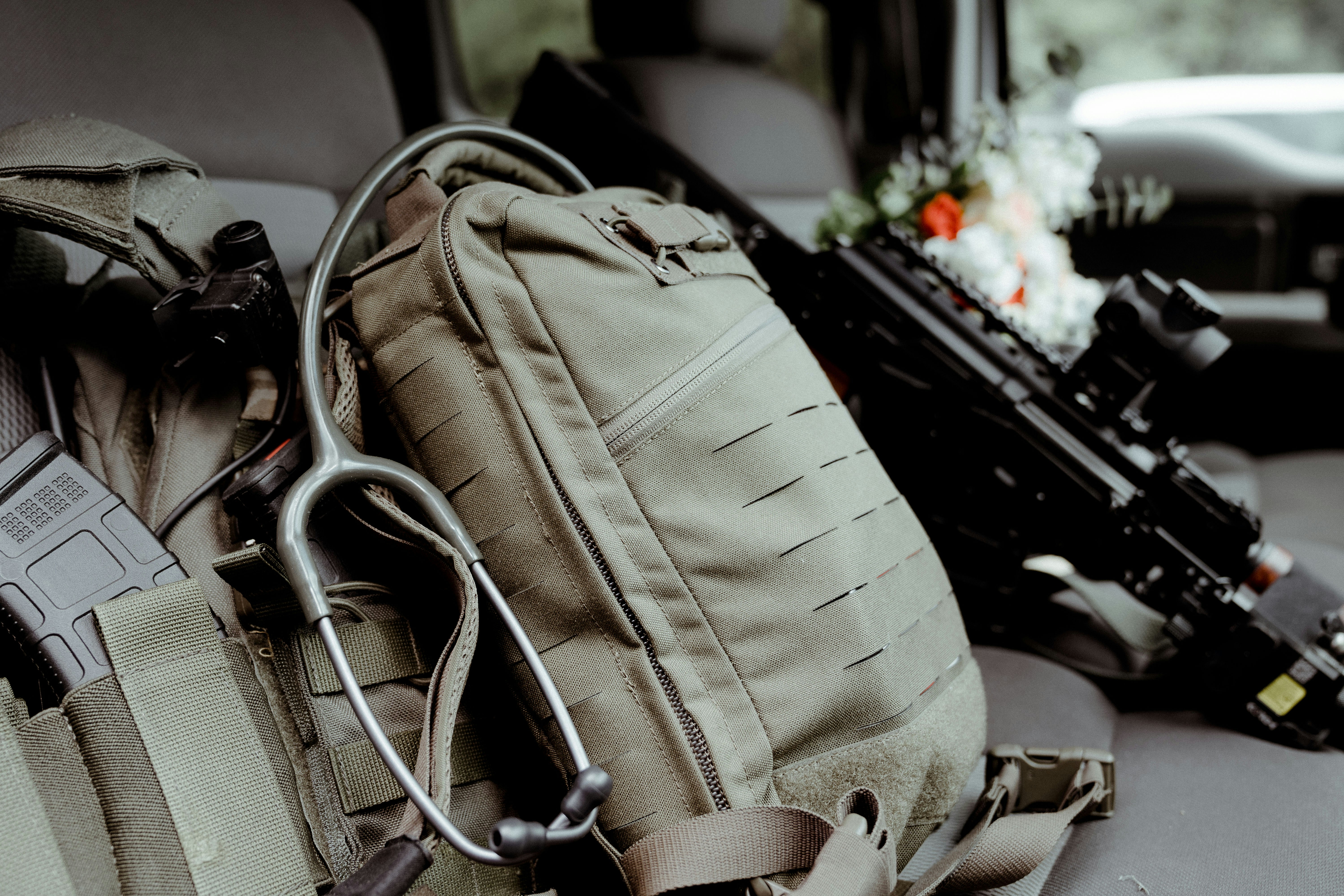
How to Learn Morse Code Fast: A Beginner Roadmap
A focused plan combining letter drills, number pattern work, and daily translator practice so you build speed and confidence without wasting time on the wrong habits.
Read Article
Morse Code for Emergency Communication
A practical look at low-tech signaling methods using light, sound, and tapped rhythms — and what to practice before you actually need to use them in the field.
Read Article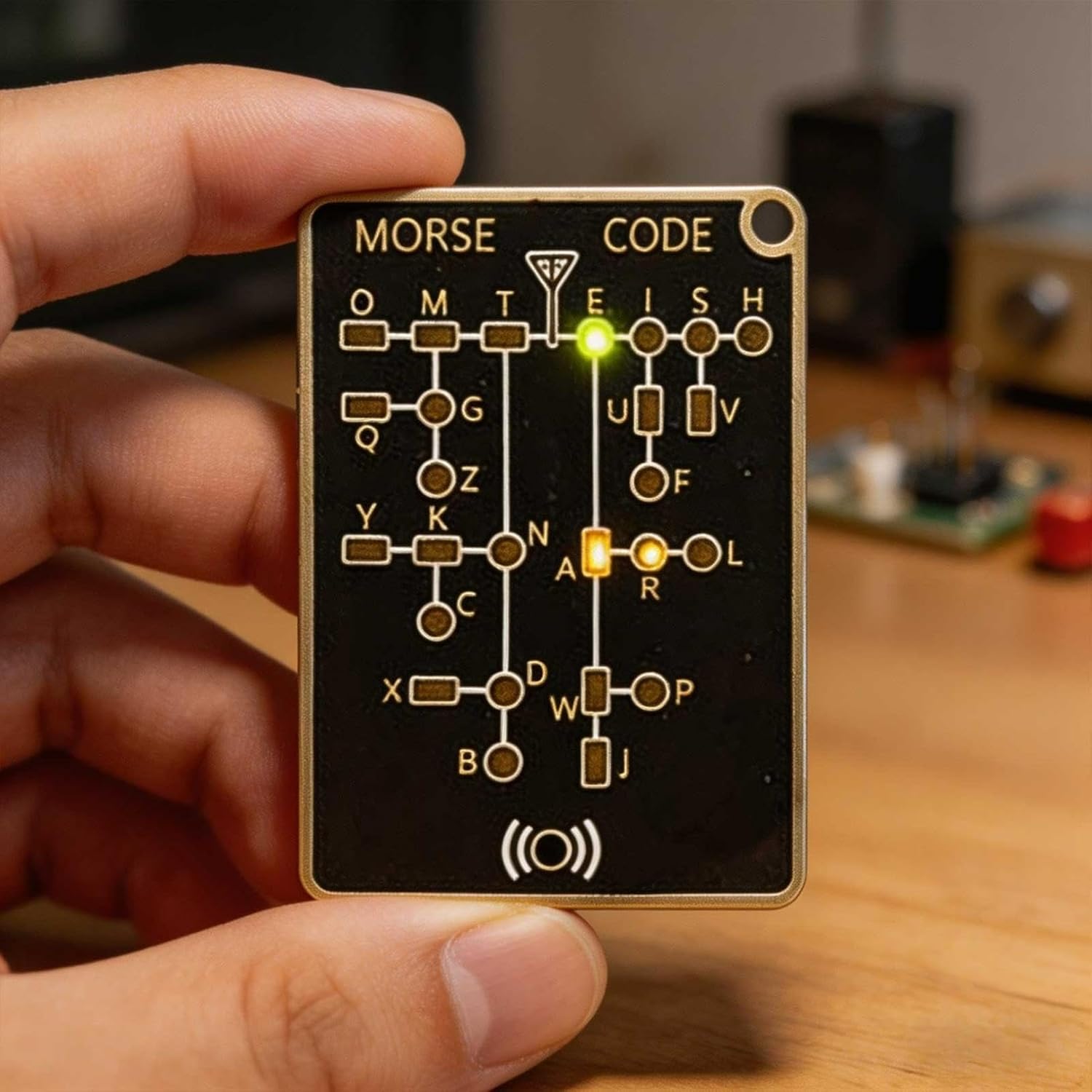
The Morse Code Practice Trainer That Makes Learning Actually Fun
A hands-on look at a compact trainer with LED signal mode, adjustable tone, and record-and-playback — ready to use right out of the box for hobbyists and beginners alike.
Read ArticleLearn More in the Morse Code Blog
Go beyond quick translation with step-by-step learning guides, practical drills, emergency communication ideas, and beginner-friendly resources.
Visit the Morse Code Blog to explore all lessons, including posts for practice kits, books, and structured training plans.
Explore All Blog PostsPopular Learning Pages
- Morse code letters chart (A–Z)
- Morse code numbers chart (0–9)
- A–Z letter lookup (one page per letter)
- 0–9 number lookup (one page per digit)
- Morse code word & phrase library
- SOS in Morse code
- I love you in Morse code
- ELI5: how trained ears decode Morse code
- How to learn Morse code fast
- Using Morse code in emergency communication
Frequently Asked Questions
How do you use this translator?
Type regular text to convert it into Morse code, or switch the mode and paste Morse code using spaces between letters and a slash between words.
Does it work on mobile?
Yes. The layout stacks vertically on smaller screens and all main controls remain tap-friendly. You can even download your Morse code printable cards and audio files directly to your mobile device!
What audio file format is downloaded?
The MP3 button actually generates a WAV file of your Morse code, most people recognize MP3 and associate that with audio that is why I labeled the button MP3, but yes, it's actually a WAV file, which you can download directly to any device for offline playback. You could download several common Morse code messages and store them on your device in case of a power outage, you'll have your Morse code audio files ready!
Can I use the downloadable printable Morse code cards for my school project?
Yes! This website is free for all to use and you are welcome to use the downloaded audio and printable Morse code cards for your school project.
Can I use information from this site for my school project?
Yes! You may use all information and photographs from this website for your school project!
What is Morse code used for today?
Morse code is still actively used by licensed amateur (HAM) radio operators around the world, where it is known as CW (continuous wave) communication. It is valued because a Morse signal can travel much farther than voice at the same transmit power, and it cuts through noise and interference better than most digital modes. Emergency preparedness communities practice it as a backup communication method that requires no electronics — a flashlight, a mirror, or two objects tapped together can carry a message. It is also used in some accessibility devices, where a single-switch input is decoded into full text for people with limited hand mobility.
How long does it take to learn Morse code?
Most beginners can recognise all 26 letters and the 10 digits within four to eight weeks of daily practice using a structured method like the Koch method. Reaching a comfortable copying speed of 10–15 words per minute typically takes three to six months of consistent practice sessions of 15–20 minutes per day. Professional-level copying at 25+ words per minute requires a year or more of dedicated training. The key is short, focused daily sessions rather than long, infrequent ones. Follow our 30-day beginner practice schedule for a structured starting point.
What does SOS look like in Morse code?
SOS is transmitted as ··· — — — ··· — three dots, three dashes, three dots — sent as one continuous group without the normal gaps between letters. It was chosen as the international distress signal in 1908 because the pattern is simple, symmetrical, and impossible to confuse with any other message. SOS does not technically stand for any phrase; it was selected purely for its unmistakable sound. You can hear and see the pattern by typing SOS into the translator above and pressing Play.
How is Morse code different from binary code?
Binary code uses only two values — 0 and 1 — to represent data as processed by computers, where timing between bits is irrelevant (each bit occupies an equal fixed time slot). Morse code also uses two signal types (dot and dash), but timing is essential: the ratio between a dot, a dash, and the gaps between them is what creates the meaning. Binary is designed for machines; Morse code was designed to be sent and received by humans using simple equipment. That human-friendly timing structure is why Morse can be tapped out with a finger or flashed with a light, while binary cannot practically be produced or decoded that way.